

- cross-posted to:
- steamdeck@sopuli.xyz
- linux@programming.dev
- cross-posted to:
- steamdeck@sopuli.xyz
- linux@programming.dev
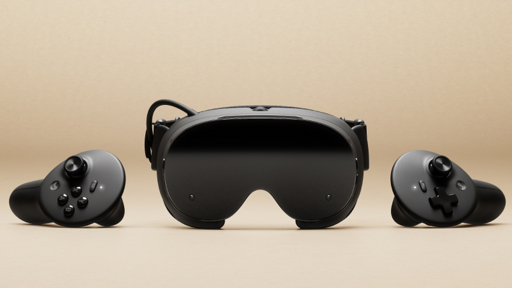
256 GB model: $1,059 USD
1TB model: $1,299 USD
Preorder list randomized, goes out Sept 17th
Power supply not included, costs $29 (same as Steam Deck power supply)
3rd party addon available for color passthrough, Arcturus Vision Camera, $149
Pretty good for KDE and GNOME at least. Both DEs support HDR monitors with pretty easy setup now. MPV and GNOME Videos both support HDR for your properly obtained movie files, idk about KDE’s video player. Browser support is still lagging, experimental HDR on Firefox usually works for videos when enabled but photos less so. Photography tools like Darktable and GIMP do not support it yet.
HDR for video games running on proton is something I haven’t tried enough to tell you. I know people have it working, but I think it sometimes requires messing about with proton environment variables.
Once you learn about the color gamuts of different displays and the HDR certifications they are also easy stats to look at. It all depends on your priorities though. Whether it’s maximizing refresh rate and fps for competitive games or doing art or having high resolution for productivity, it all changes the tradeoffs.
Many monitors nowadays support 100% DCI-P3 color gamut and that’s what most HDR media is mastered for, so that’s a pretty easy one to look for. The VESA DisplayHDR certifications also make it easy. True Black means the contrast ratio is very good for dark detail like with OLED. The number of the certification is the peak brightness in nits that the display can reasonably produce. So DisplayHDR True Black 600 would mean good contrast and 600 nit peak brightness. And a DisplayHDR 1600 would be able to go much brighter, but not necessarily have inky blacks like an OLED.