I bought a bunch of sub $400 (Australian dollaroos at that) 4k monitors (Samsung, viewsonic etc). Their not the greatest monitors but this was like 5 years ago. Some were on special.
You can play a lot of older games in 4k and it makes a big difference.
4k gaming is more then accessible and far better in my view then high refresh rate gaming at 1080p or 1440p.
My wife and I have a 4K TV and an Apple TV. Initially, the Apple TV was automatically tuned to 4K, but we were having glitches with the picture every now and then. After a bit of troubleshooting, I wondered if it might be either the cable or the TV struggling, given that the cable is old and the TV has frame generation but is old and thus underpowered.
Lo and behold, after manually tuning the Apple TV down to 1080p, it solved the issue.
I notified my wife and we tested back and forth between 4K vs 1080p, and frame gen on vs off for each. Neither of us could tell the difference between 4K and 1080p when sitting on the couch (though we could if we went up close to the TV), but both of us immediately noticed and preferred frame gen on. And yes, we’ve had our eyes tested and have at least decent vision.
For me, if the downsides to 4K were much lower then of course I’d turn it on and never look back. But we don’t notice it on the TV, and while I’d probably notice it on my PC monitor, to upgrade it and my gaming rigs would cost many thousands (also dollarydoos for me) for a pretty mild upgrade (for me).


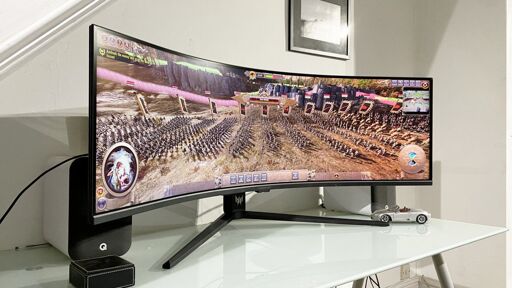
I bought a bunch of sub $400 (Australian dollaroos at that) 4k monitors (Samsung, viewsonic etc). Their not the greatest monitors but this was like 5 years ago. Some were on special.
You can play a lot of older games in 4k and it makes a big difference.
4k gaming is more then accessible and far better in my view then high refresh rate gaming at 1080p or 1440p.
I think it’s just “to each their own”.
My wife and I have a 4K TV and an Apple TV. Initially, the Apple TV was automatically tuned to 4K, but we were having glitches with the picture every now and then. After a bit of troubleshooting, I wondered if it might be either the cable or the TV struggling, given that the cable is old and the TV has frame generation but is old and thus underpowered.
Lo and behold, after manually tuning the Apple TV down to 1080p, it solved the issue.
I notified my wife and we tested back and forth between 4K vs 1080p, and frame gen on vs off for each. Neither of us could tell the difference between 4K and 1080p when sitting on the couch (though we could if we went up close to the TV), but both of us immediately noticed and preferred frame gen on. And yes, we’ve had our eyes tested and have at least decent vision.
For me, if the downsides to 4K were much lower then of course I’d turn it on and never look back. But we don’t notice it on the TV, and while I’d probably notice it on my PC monitor, to upgrade it and my gaming rigs would cost many thousands (also dollarydoos for me) for a pretty mild upgrade (for me).